PureStack CLI
PureStack CLI launches PureStack Forge, PureStack's website builder. Start with a template, shape your project, and explore it live.
Open Forge
With Node.js 22.12+ and npm installed, run this where you want to create your project:
npx purestack@latest initThe command starts Forge as a local PureStack website. Click the URL printed in your terminal and keep the terminal open while you explore.
Shape your site
1. Name it. Choose a title and project folder, relative to where you ran the command.
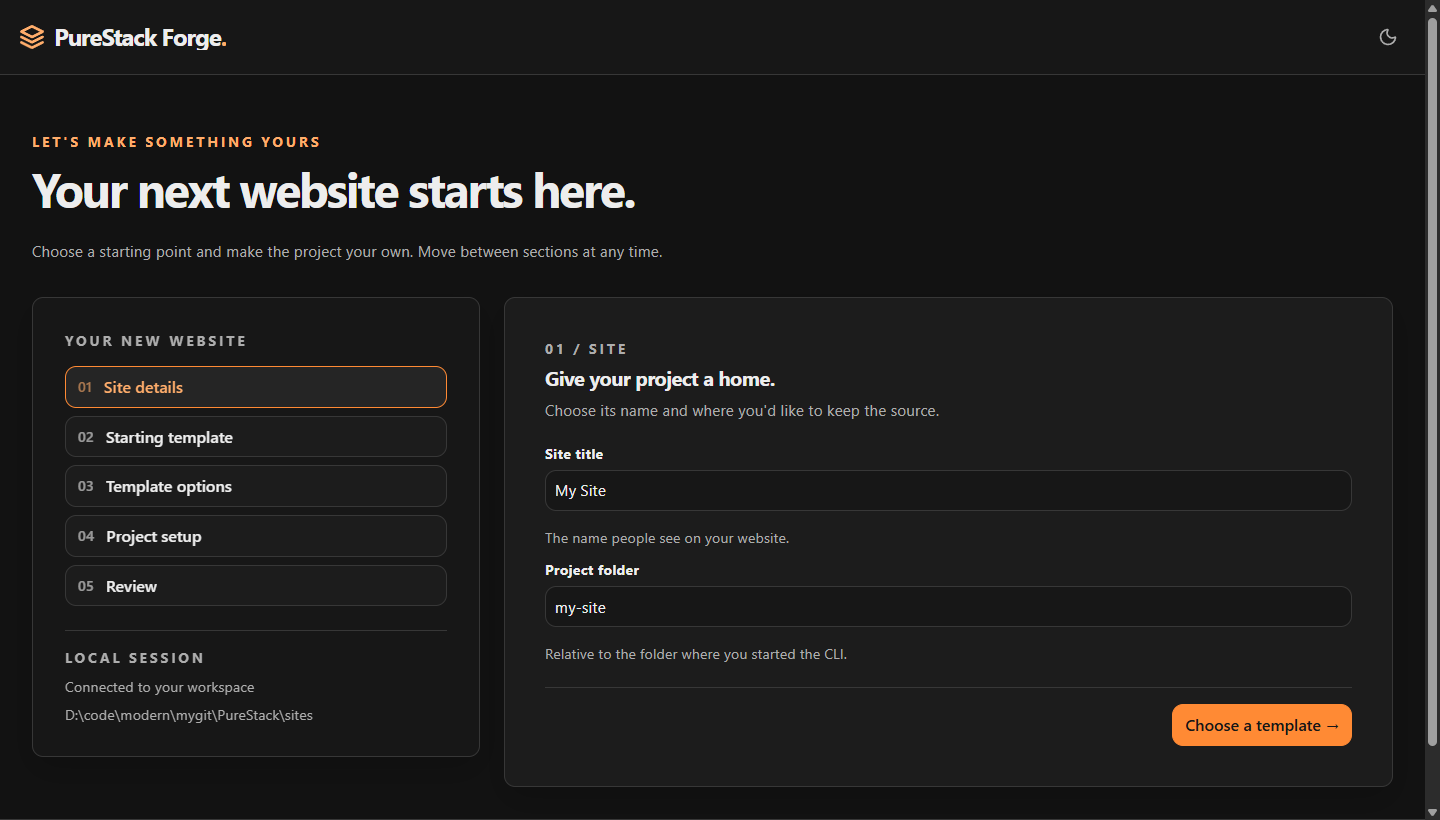
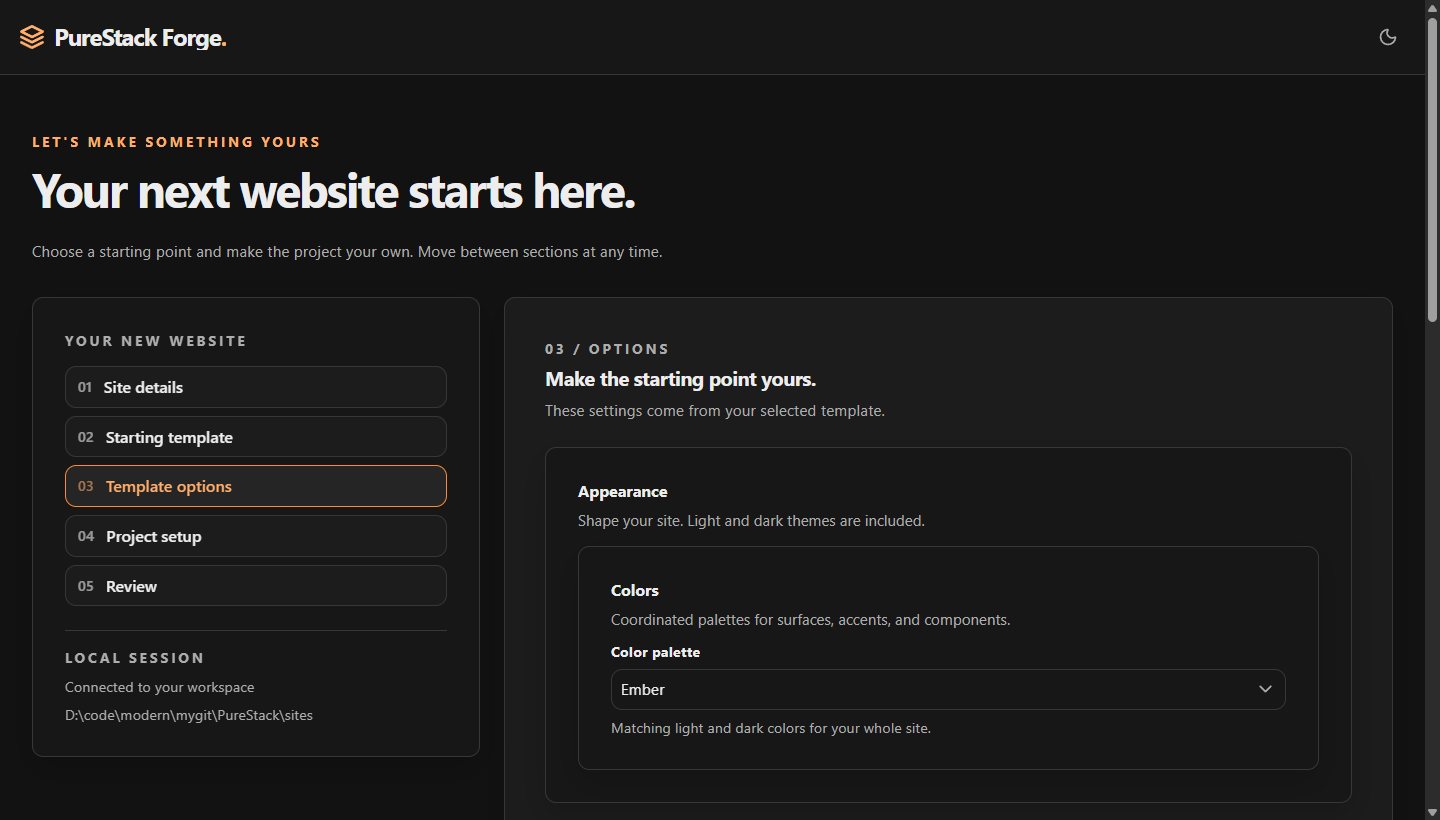
2. Shape it. Pick Starter, explore the palettes, and choose your features. Go back to adjust anything before creating.
3. Create it. Select Install dependencies, optionally enable Git, and click Create site after reviewing. Watch the progress, then choose Browse live site.
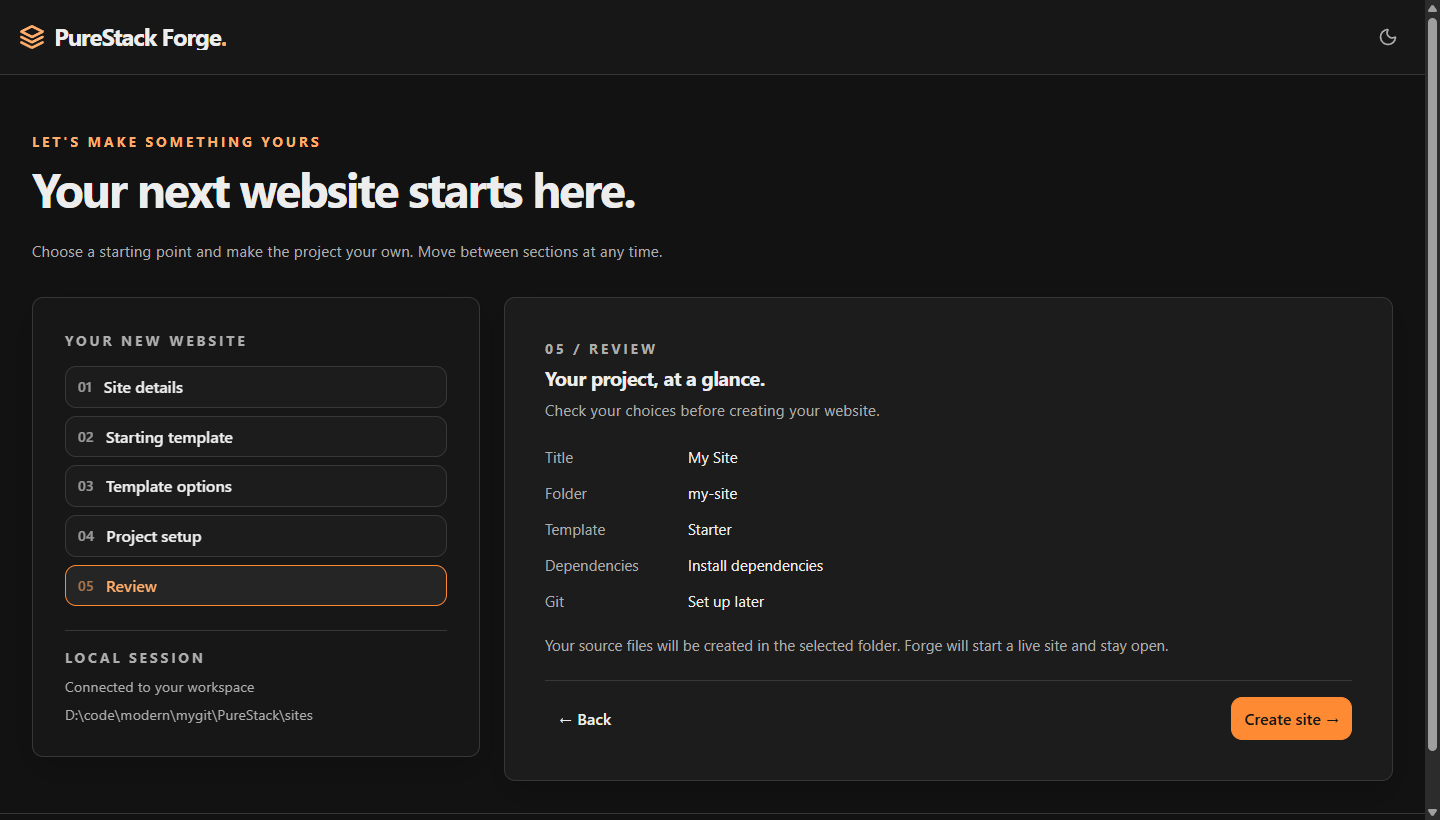
The CLI can set up Yarn during installation. Git setup creates or reuses a repository without making a commit.
A real site. Your source.
A responsive landing page, About page, light and dark themes, a customization guide, and an interactive launch checklist. All yours to edit, with guidance for you and your AI assistant.
Make the first change
Open your project in your editor. Change the headline in content/modules/content/landing.ts and save. Your words appear on the live site.
| Make it yours | Start here |
|---|---|
| Words, sections, and buttons | content/modules/content/landing.ts |
| Site name, logo, and palette | content/siteConfig.json |
| Your story | content/about.mdx |
| Layouts and components | content/modules/components/ |
Your project’s README.md, AGENTS.md, and /guide/ show the way. PureStack Component Tools helps you edit pages and components in VS Code.
Come back and keep building
Finish Forge stops both local servers and keeps your project. Next time:
cd my-site
yarn dev
Replace my-site with your folder name. Skipped installation? Run yarn install first.
Everyday commands
| Command | What it does |
|---|---|
yarn dev | Open your site locally. Saved changes reload in your browser. |
yarn format | Format your code, MDX components, and TypeScript templates. |
yarn check | Check code quality and formatting. |
yarn test | Run app tests while you work. |
yarn build | Generate the complete site in dist/dev. |
yarn publish | Prepare a clean release in dist/publish, ready for your host. |
Ready to go live? Follow the deployment guide.